Is the S10+ worth it in 2021?

In March 2019 Samsung released the S10 plus but is the S10+ still worth it in 2021? Let’s find Out!

Price

The S10 plus is selling for about 900 US dollars on Samsung’s website. This price is about the same or more as the flagships that were released recently.

Camera

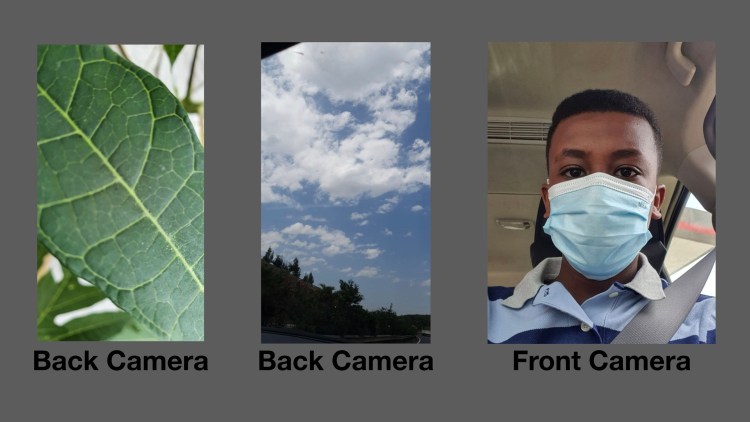
The camera on this device is superb. The back camera can take some photos with a great depth of field. The selfie camera can take some awesome selfie cameras too. The back camera can shoot up to 4k 60 and super slow motion at 720p with 960fps which is just mind-blowing. Overall an awesome camera system.

And these photos are not edited.


Design

The design consists of an aluminium frame, a gorilla glass 6 on the front and a gorilla glass 5 on the back.

Performance

In terms of performance it’s still a great phone with 8GB of ram which should be enough for most People. Gaming and some of the heavy duty tasks should flow smoothly.

Display

The 6.4-inch Super AMOLED display on the S10 plus enables deeper black colours when viewing content and editing pictures Or just tasks that need color accuracy.

Conclusion

So yes the S10 plus is still an awesome flagship and better value in the long run. But definitely this is not a budget phone.

WINDOWS 10 PRO VS WINDOWS 10 PRO N

Windows 10 installation has loads of options these days – but have you noticed these new “N” versions of Windows? Well, these are new, and it’s better to say that Microsoft was forced to release them.
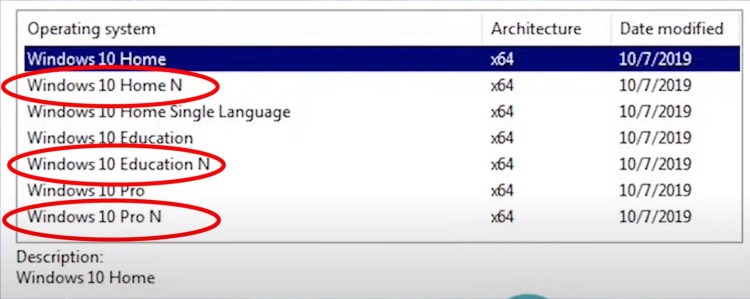
Windows 10 “N” is actually Windows 10 but without any media tools, and it is only available in the EU.
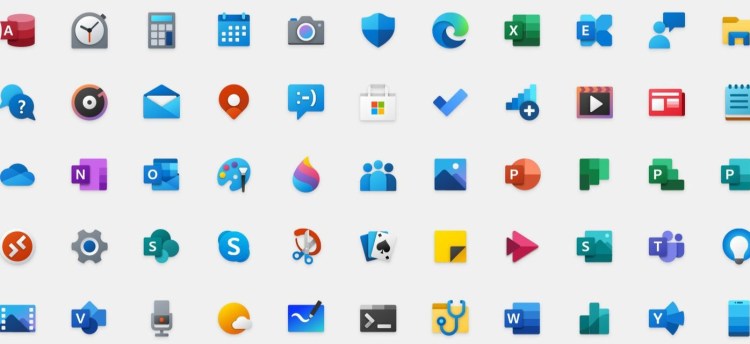
Previously, Windows used to ship with loads of bloatware – like OneDrive, Skype, and also some games like Microsoft Solitaire.

Now, the first question is, what’s the problem with all of this bloatware? These led to high CPU and RAM usage. And, frustrated users, who wanted all of their resources in the software they were using, were hugely disappointed with Windows!

The only way out was to crack Windows, remove the software you don’t need and then reinstall it. But there are several potential risks of cracking and pirating software.

But there is an even bigger story than that.

In a single speech Windows 10 Pro N does not contain any multimedia apps that come with Windows 10 Pro. Example: Music, Video, TV, Voice Recorder and Skype.

The EU court had a strong claim against Microsoft that they are forcing Windows users to use Microsoft apps by providing built-in apps that have many other alternatives in the market. Or you may say that the EU court found that Microsoft was doing a monopoly business by providing some built-in apps through which the company was taking some extra advantage for beating the other app vendors.

To solve this issue and recover the EU market Microsoft released another version of Windows 10 Pro which is very similar to the existing Pro edition but all other multimedia apps and skype is not available with that. And it is the “N” edition of Windows 10.

Now, basically, the N versions are bloatware free versions, meaning you won’t have any of the pre-installed bloatware in these, and you can install a clean copy of Windows into your system. But don’t worry, the “N” users have the option to download the missing Microsoft apps using the Microsoft Store app.

Now, don’t get me wrong – these N versions aren’t a separate version of Windows – and you won’t face any serious problems if you have the N versions in your system – like the RAM support for example. You can still install 2TB of RAM in your Pro N, and open infinite Chrome tabs!

Don’t take my word – this is the official documentation from Microsoft’s website –

The “N” editions of Windows 10 Home and Windows 10 Pro include the same functionality as the standard edition, except that they do not include certain media-related technologies (Windows Media Player, Camera, Music, Films & TV) and do not include the Skype app.

But, do you remember how the EU court had forced Microsoft to launch the N versions? Well, yes, the N versions were launched for the European markets, meaning you cannot get the N versions from any other part of the world! And it was done to give the consumers an equal opportunity to download and use their required multimedia apps according to their choice.

Just a quick Google search reveals the top result as the Iceland page of Microsoft. And then, there are no more Windows 10 Pro N vendor pages!
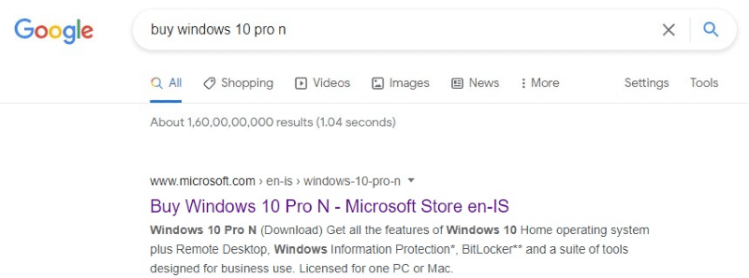
Now, can you buy it from the US or India? Well yes, there are always third-party vendors and cracking is an option.

Although this article strongly doesn’t suggest cracking. And even if you crack Windows, this video will not be responsible for any loss of data or any other damage that may occur to you or your hardware.

So, the key takeaway is that – Windows 10 “N” is actually Windows 10 but without any media tools, and it is only available in the EU. If you get your hands on it from some other region of the world – then that’s not a legitimate version of Windows.
Top 4 Apps on the Play Store!

The Google Play Store is filled with unique applications. Most of these are useless but some are, strangely useful, so here are 5 of those useful apps which you must definitely try!

1. Wallix wallpapers

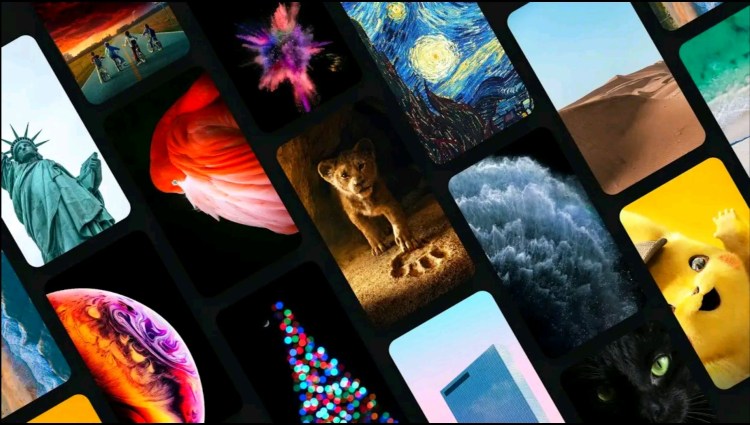
Wallpapers are something that can change the overall look of a smartphone. Wallix is an application that contains more than 300 wallpapers! The wallpapers are separated into different categories and the interface is minimal too! This app contains some of the best looking wallpapers, definitely check it out.

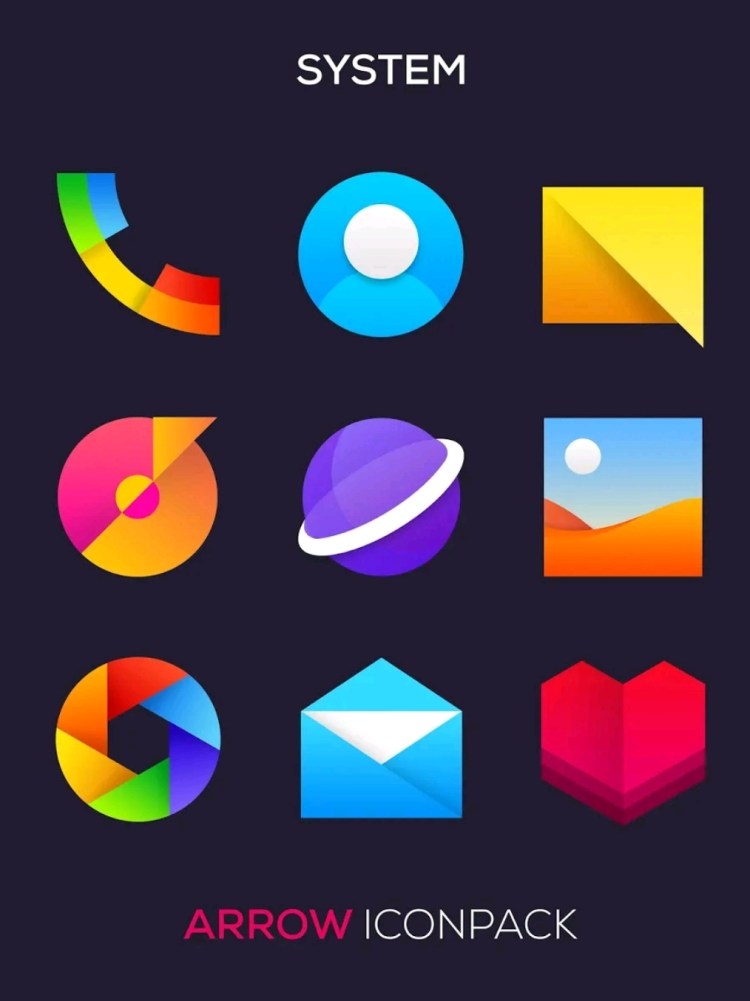
2. Arrow Icon Pack

Even though wallpapers can change the look of a smartphone, having a bad icon pack might ruin it. Have a glance at Arrow Icon Pack. There are more than 1000’s of icons and most of these are really funky and minimal. Surprisingly, most of these icons perfectly suit the wallpapers which are taken from Wallix wallpaper app. So if you’re looking forward to customise your home screen, this would make it.

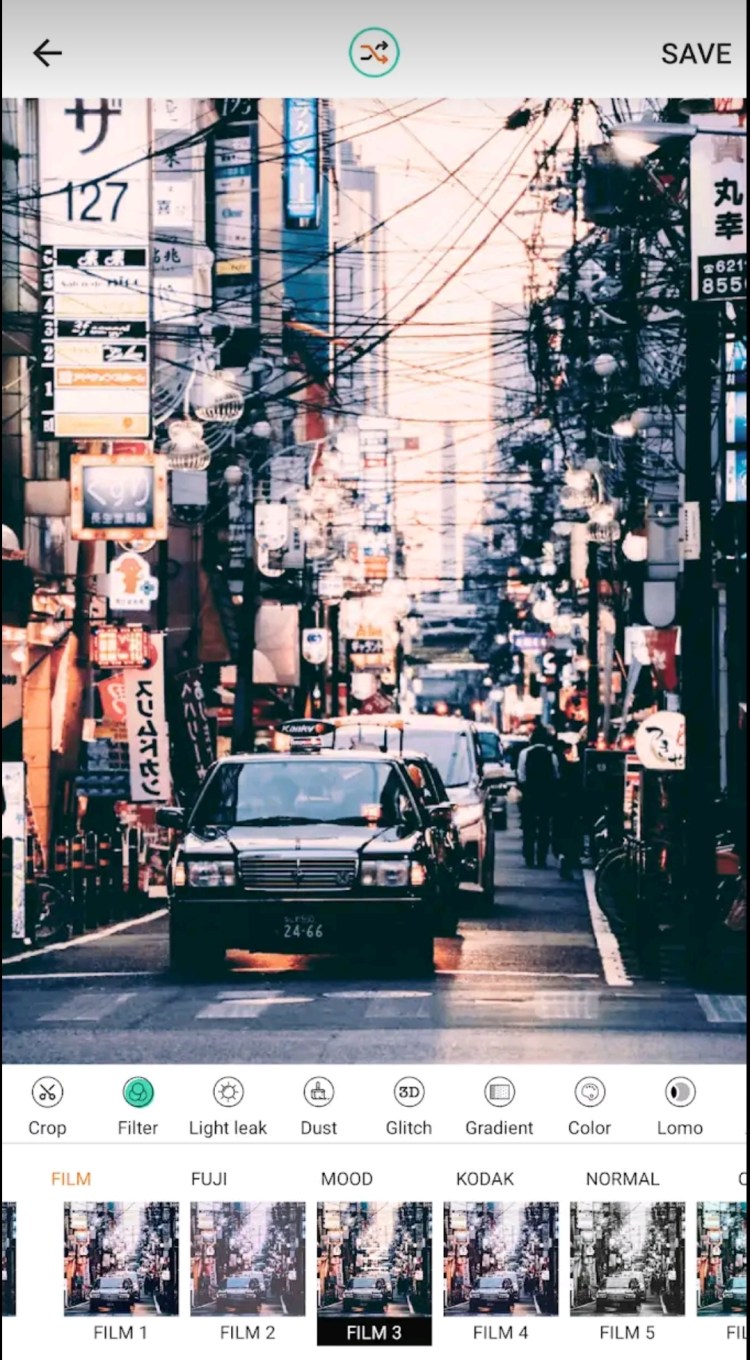
3. Koda cam

We all love editing photos, don’t we? Koda cam is a photo editing app but with more options which you didn’t expect. It has amazing filters like glitch, light leaks and you edit the photos too. Although this app has a lot of ads, If you love filters, make sure to check this one.

4. Proximity screenshot

I still remember when Huawei introduced a new way to capture screenshots by just waving near the sensor. Well, now you can use it on any phones. Just keep your hand near the front camera sensor and it’ll automatically capture screenshots. Even though this app is kinda useful, it is sometimes annoying as well. We have to disable it every time we capture any pictures because if we wave your hand even by mistake it captures a screenshot.

This is all about some useful apps! I hope you liked them!

This article was submitted by Santhosh SR. You can check out his socials here

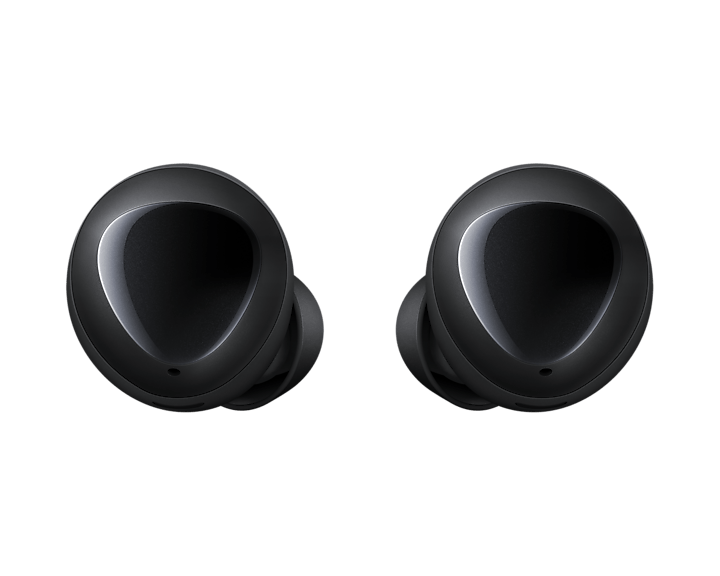
Samsung Galaxy Buds Plus: Great Battery, Zero Bass!

The Samsung Galaxy Buds+ were an updated version of the widely sold Samsung Galaxy Buds. Even after being much better than their previous version, the Galaxy Buds+ still cannot beat the competition. Here’s the review.

Build Quality

The Galaxy Buds+ sport an all-plastic design. The build feels cheap, but has its benefits by keeping the earphones lightweight, comfortable, and lest we forget: affordable. These cost ₹5990 on offer currently (Approx $85). In the box, listeners are provided the pre-installed medium ear and wing tips along with three extra pairs varying in size, providing a variety of options.

A glossy finish is present on the top of charging case and collects more fingerprints than the FBI. Despite the sleek exterior, it’s easy to grip and never slipped from my hands when opening.

Connection

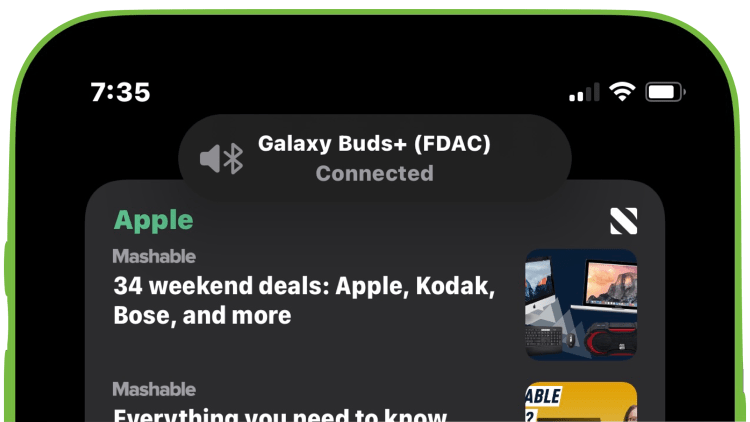
The earphones use Bluetooth 5.0 firmware and grant listeners a 10-meter wireless range. The pairing process was pretty simple on my iPhone, and I guess it would be even more simpler on an android device, especially a Samsung smartphone. As soon as you open the lid, the buds connect automatically to the iPhone.

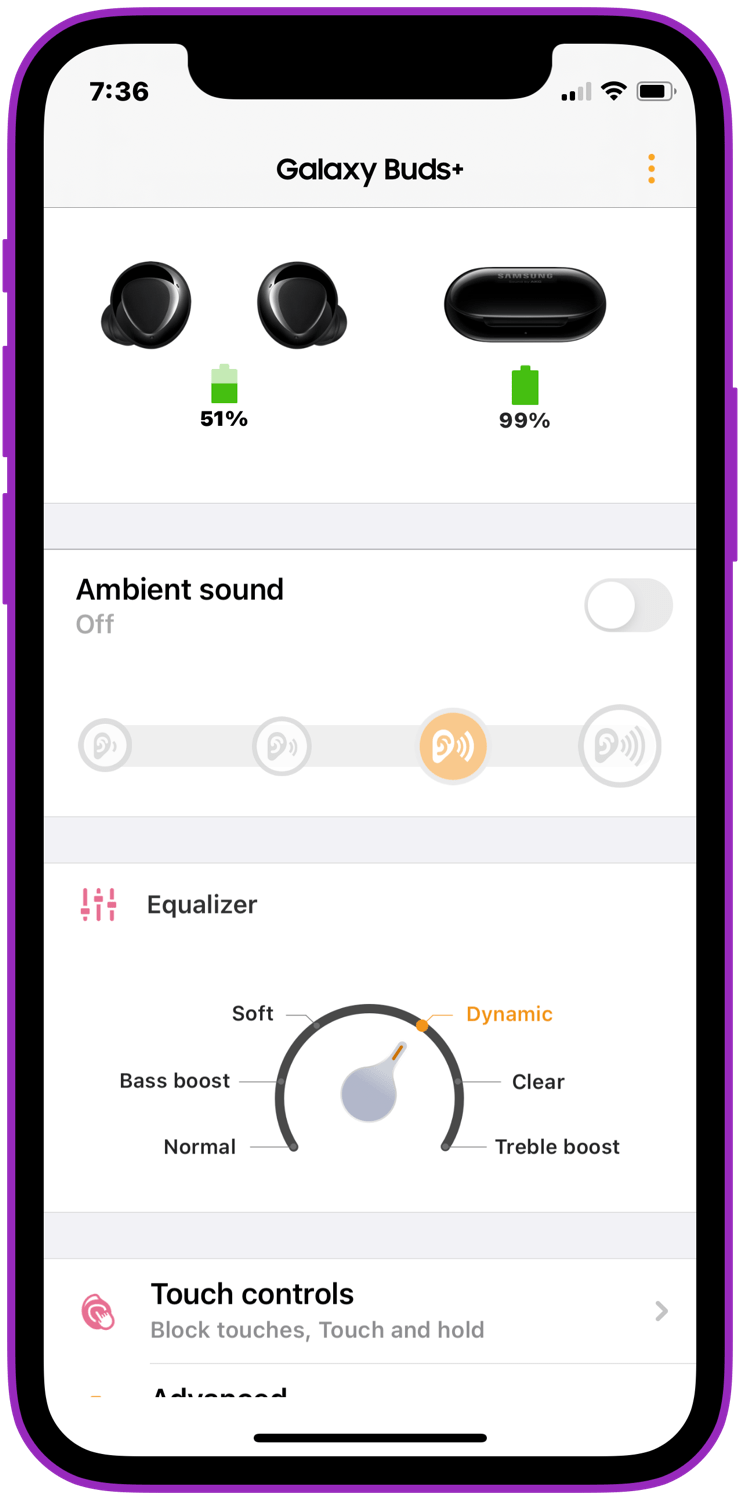
The Galaxy Buds app is fine. It’s very buggy but gets the job done. It lets you chose the double/triple tap features for the buds and provides a mini version of an equaliser.

Sound

They sound okay. That’s the most I can say. Definitely not worth their original price of ₹11,000. The discounted price still does justice to the quality. The mids and lows are fine and the highs are great, but they lack bass by a lot. Even after choosing “Bass Boost” from the equaliser, it still does a bad job. Other than that, these are a great pair of earbuds.

Ambient mode is EPIC! I no longer have to remove my earbuds if someone is talking to me. I personalised my Buds+ to trigger Ambient Mode with a long tap on the right earbud. There is also a bit of a latency, unlike Apple AirPods or AirPods Pro.

Battery

The battery life is where the Buds+ shine. They give 11+ hours of battery life without the case easily. The case makes it 24+ hours of battery life! This is perhaps the best battery life on any earbuds!

This article was submitted by Nimrat Khalsa. You can check his profile here

Top 5 iPad Apps to keep you productive

The right app can transform the iPad, the tablet of tablets, into nearly anything you desire. Here, we provide you a curated list of the top 5 iPadOS apps that will keep you productive.

Google Docs

Google docs is an awesome word processing app. One of the best features is it syncs all across your google account. In terms of price it’s free but you will have to pay if your google drive is full. Though you shouldn’t worry about paying since most word files are under a megabyte. Download here


Microsoft Todo

Microsoft todo is a to-do app that helps you get productive by tracking your upcoming tasks. It also syncs all across your Microsoft account but if you’re in the google ecosystem then google tasks will be a better option. Download here

Keynote

As you probably know PowerPoint is pricey so one of the best free options is keynote. Keynote is an app made by Apple that lets you create stunning presentations. Keynote syncs all across your iCloud account. You might need to pay for an iCloud storage since you’re stuck with only 5GB. Download here

Notion
Notion is a great collaborative app that helps teams to track, assign a project. This can even be helpful for personal use for tracking video status, school work and so much more. Download here

Spark mail
Spark mail is one of the best email clients out there. The minimal and aesthetic Ui is an awesome touch. On spark mail you can add different email accounts like Gmail, Outlook and so on. Overall a great all in one email client. Download here

Offline spotify listening is now available

Spotify added the ability to stream music using an Apple Watch in November; until that point, the Apple Watch only worked as a remote for Spotify music playing on an iPhone or other Spotify Connect-compatible device. Spotify first launched its Apple Watch app in 2018.

The offline feature will be available starting Friday on Apple Watch Series 3 or later running WatchOS 6.0 or later, with WatchOS 7.1 and up recommended. A Spotify Premium subscription is also required. Spotify Premium memberships range from $9.99 per month for a single account, up to $15.99 per month for a family plan. There’s also a $4.99-per-month student account option available.

Spotify is adding the ability to download playlists, albums, and podcasts on Apple Watch to play offline, the company announced Friday. Users will be able to stream audio in 96kbps, add and delete Spotify content on their phones, and sync with the

“Being able to download music and podcasts complements the existing feature of being able to stream your favorites from the watch, and now you don’t even have to take your phone with you,” the company said in its news release.

Social media and it’s consequences

Social media can be great for sharing thoughts, ideas and getting inspiration.

But here are the problems that social media can come with.

The first is data collection. It shouldn’t be a surprise that social media collects data for personalized ads. That isn’t bad until it becomes a privacy monster. They start to collect data from the day the account was created for example location, search history, and more. The reason why techies recommend to secure your accounts is because if a hacker manages to hack it, s/he can basically download your private data and the longer the account was created the worse it gets.

Facebook and Apple are in a war because of the iOS 14.5 transparency prompt. This feature lets users choose if an app can track them out of the app or not. Facebook wasn’t happy about it because it will deduct their revenue since they can’t serve you an ad that is personalized

The second is social anxiety which will cause you to not do what you like because of the fear of getting judged or criticized about the things you do. So the way to reduce it is by choosing the right community.

Smartwatch OS by Google and Samsung

Yesterday brought the momentous news that Google and Samsung will merge together their Wear OS and Tizen-based smartwatch platforms into a single operating system. The new software is currently being referred to as Wear, but that name could change as we get closer to the first devices that will ship with it.

The unified platform is intended to give Android smartwatches a huge boost and much simpler strategy. It will also allow developers to create apps and widgets for a single OS instead of splitting their efforts between Wear OS and Tizen. A lot of this is spelled out in more detail in the below video, but let’s also focus on the big highlights.

IT’S GOING TO BE FASTER THAN WEAR OS.Speed and responsiveness were one of the major talking points when Google and Samsung made this announcement during the I/O 2021 keynote. The companies are claiming that apps open up to 30 percent faster than they currently do on Wear OS. Google also promises “smooth user interface animations and motion,” which hasn’t always been a strength of Wear OS.BATTERY LIFE WILL BE A STEP UP, TOO Samsung’s smartwatches were already routinely outlasting Wear OS products, so this doesn’t come as a surprise.

The company is lending Google some hardware expertise to ensure better stamina. “Samsung implemented our best technology to provide optimized performances, and advanced sensor batching and low power display technology to ensure an efficient and long-lasting battery,” Samsung’s Janghyun Yoon wrote after Tuesday’s news. Google’s Bjorn Kilburn said customers can expect “handy optimizations like the ability to run the heart rate sensor continuously during the day, track your sleep overnight and still have battery for the next day.”

© Abenezer ( xspherstech@gmail.com )

NBA SKINS COMING TO FORTNITE

Fortnite x NBA

Soon you’ll be able to fight to the death in Fortnite while representing your favorite NBA team.Today, Epic revealed the latest collaboration for its battle royale game, which includes new purchasable characters that can don the jerseys of all 30 NBA clubs. They’ll be available in the in-game shop starting May 21st, along with basketball-related emotes and tiny basketball net backpacks. As part of the crossover, two NBA stars — Donovan Mitchell and Trae Young have also hand-picked Fortnite lockers that players can purchase starting next week.

This is just the latest in Epic’s push to bring the world of sports into Fortnite. In 2018, there was a collaboration with the NFL, and this year nearly two dozen soccer clubs were featured in the game, along with a virtual version of Brazilian superstar Neymar.

The NBA crossover shouldn’t be too much of a surprise, given that some details — including reference to an arcade-style Fortnite basketball game, and an event featuring LeBron James — came out as part of the ongoing Apple vs. Epic trial. Some of that may still be on the way. Epic says that next week there will be NBA-related news for Fortnite’s creative mode, with details on May 25th.

Top 5 Productivity Apps on MacOS

It’s no secret that MacOS over the years has developed in what many would call the cleanest software ever. Which is hard to disagree with considering how minimal and effortless it is. MacBooks by Apple, were originally made for work and business, so here are 5 great productivity apps I’m sure we’ll all love.

1. Notion

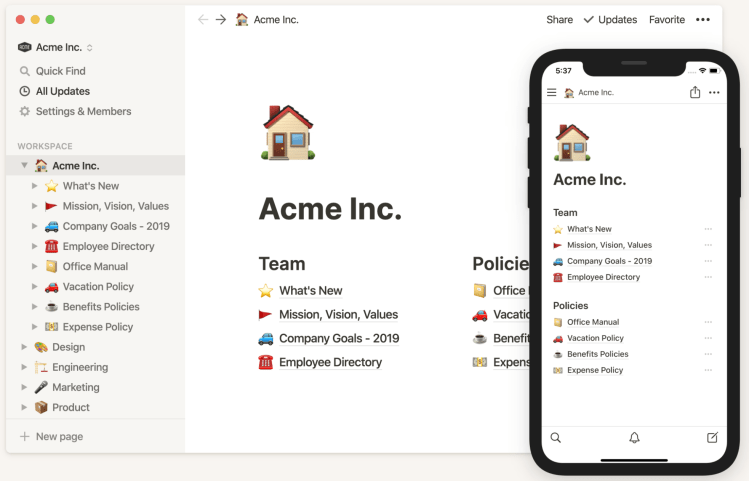
It’s hard to talk about awesome productivity apps without mentioning Notion, the best planner and note-taking app there is to date. Notion is the face of productivity software, but why? Well first off, it’s extremely customizable to your occupation or goal’s presence, you can create many pages for certain topics and then put sub-pages from notes to task boards. And you can even create sub-pages for your sub-pages with extremely broad topics as many companies do. There are many templates and tutorials to help you get started, and thousands if not millions of entrepreneurs and professionals use this every day for organization and planning, not to mention the simple collaboration tools notifying you of updates. With a plethora of features, Notion is the most recommended productivity app on this list.

2. Rectangle

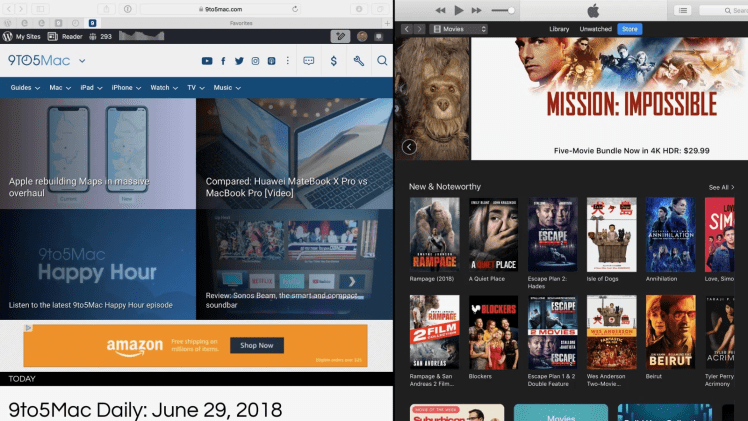
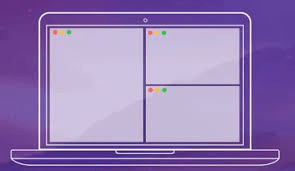
Rectangle isn’t extremely popular, but its actions speak louder than words. Rectangle is a completely free multi-screening app. One thing that I miss from windows when on MacOS was the ability to not be able to drag an app to a certain area, and just put it there. But now, that whole issue is resolved. Sure you could hover, then click the green button over the MacBook and select pin to left or right. But that process is just slower and less seamless. With rectangle, you can easily drag any specific application open, move it to a corner or side of your screen, and hover/click off when you see the rectangle appear. Making multi-tasking and split-screening a rectangle easier.

3. Microsoft Office

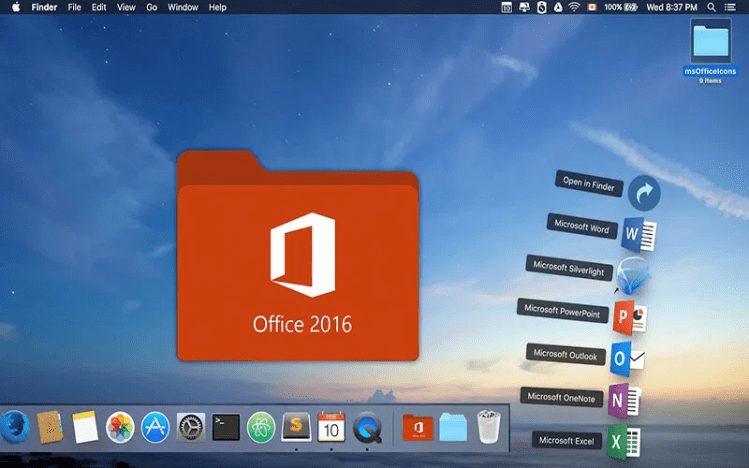
I’m pretty sure every formal organization known to humanity since the 21st century has used the Microsoft Office Suite. And I don’t blame them, the Office Suite consists of many highly-renowned apps made by Microsoft that are almost second to none. From Word for Documents to Excel spreading data to Power Apps for creating mobile and web apps. Think of it as the Adobe Creative Cloud but for Productivity Geeks instead of Videographers. Each App individually is worth mentioning on this list, but Office just wraps all of them into one clean and pleasant interface. Allowing you to see all of your projects from all the apps, and even giving tips on how to use each app interdependently. Allowing for tons of results in a quick short time.

4. Alfred

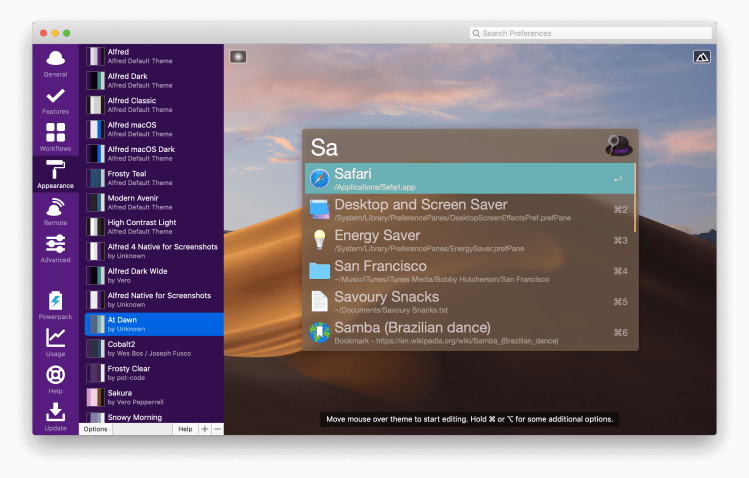
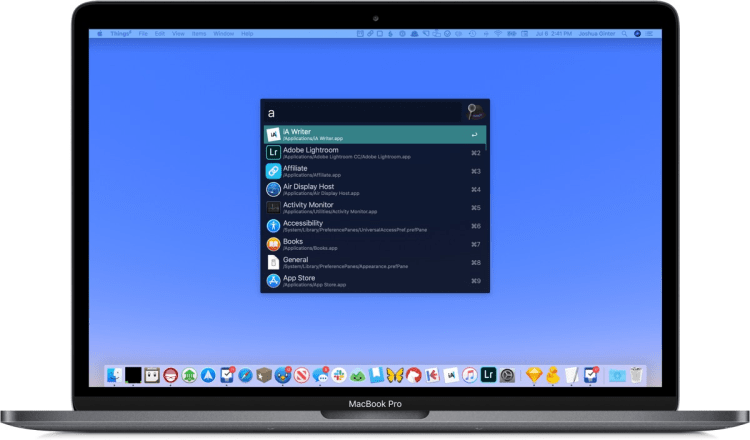
Alfred on the other hand is a bit underrated, what it practically does is like an upgraded version of spotlight search. Although being able to search your computer with a keyboard shortcut is great, Alfred has a lot more features and takes as much if not less time to use. To use Alfred you just have to press Option + Space and your favorite search bar will fade in! Here then you can type anything you want, either a translation, an equation, or even search for your apps and file names. And Alfred will show a bunch of options that you can enter in! Much quicker than using your trackpad and dragging around everything! Plus, using Alfred more will improve your keyboard skills, and overall save a lot of time!

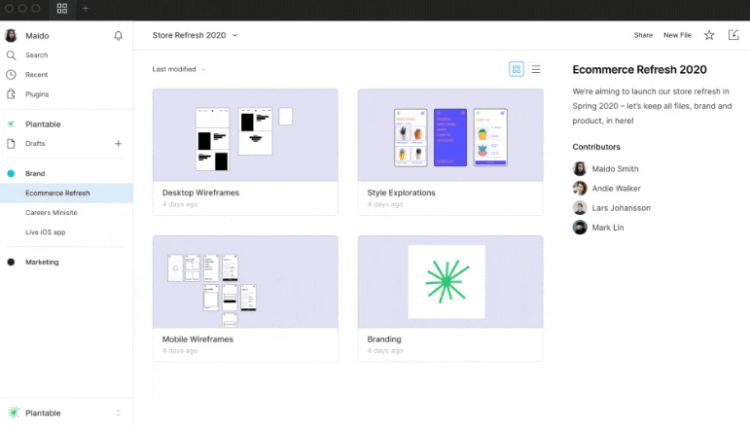
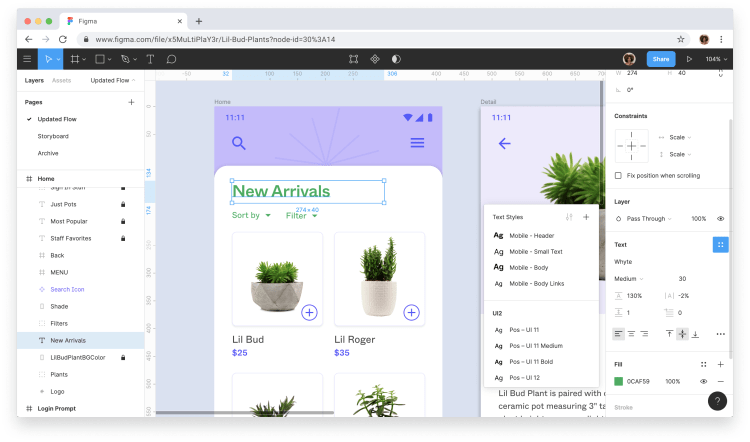
5. Figma

Although there have been many highly overrated design apps in the last few years. Figma isn’t one of them though. Figma is an all-around Graphic Design Management tool where you can customize and add elements to help create clean designs and projects. Although it’s extremely well known for website design and its overlay, Figma is also great for posters, thumbnails, and stickers. To create a project you just have to press the plus button, then select the resolution of your design. And the most fun part, actually create it! My favorite thing about Figma is the layouting, since you can easily drag around and click every single small piece into a certain area easily and put colors and images in a single area with layers being very effective. Overall Figma is top-notch for any Graphic Designing and basic photo editing you need to do!

All of these apps have their own specialties, but they definitely help you out and provide some good knowledge. Just like Subscribing to the KineTech Blog, which I’m sure will help a lot!

Design a site like this with WordPress.com
Get started