Best cloud storage options

Keeping a backup of your files is one of the best ways to keep your files safe. It can also help to keep your phone from lagging. Here are the top 5 best cloud storage options for you.

Google Drive

The first one on this list is google drive. Google drive is one of the most known cloud storage services. This service is used by podcasters, editors, photographers professionally and for personal use. You get 15 GB of storage by default but you can pay $1.99 monthly for 100GB of storage or $299.99 monthly for 30 terabytes of storage.

Drop Box

Dropbox is a great cloud service for storing photos, videos and word documents. The basic plan gets you 2GB of storage and 1 user, the plus will get you a 2TB And 2 users with a $9.99 monthly fee and the family plan gets you 2TB and 9 users if you are an editor or just need a collaborative tool.

Telegram

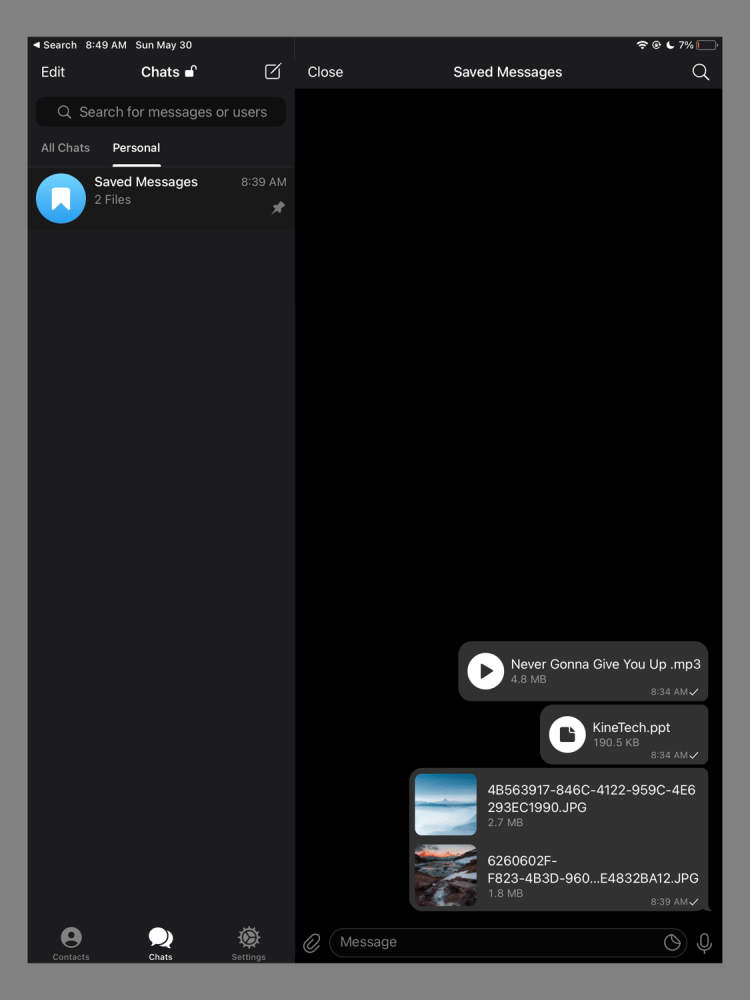
Now you might say telegram is a messaging app and yes you’re not wrong. But there is an option for “saved messages” which lets you upload unlimited files but 2GB per file which should be good enough for people who want to store images, word documents, videos, and voice messages/sound files which is a pretty good deal.

ICloud Drive

This is a service made by apple that lets you switch seamlessly

from your apple device if you are in the apple ecosystem. iCloud Drive gets you 5GB of storage for free then $0.99 monthly for 50GB, $2.99 monthly for 200GB (family use) and $9.99 for 2TB which is the highest you can get.

OneDrive

One drive is a service made by Microsoft. If you are a Microsoft suite user this is the best way to sync your work through your account. You are stuck with 5GB like the iCloud so you might have to pay a subscription for more storage.

Disclaimer: none of the companies mentioned sponsored this article.

Bose Sleepbuds II

Like I imagine many of us do these days, I often have trouble sleeping. To add to that, I have always been a light sleeper and can be easily awakened by a variety of noises: an especially loud siren outside, a crack of thunder, the heat suddenly coming on in the early morning hours. So I was the perfect person to try out the Bose Sleepbuds II, a set of $250 earbuds, which are specifically designed not to play music or podcasts, but to block out and replace sounds that might disturb your sleep.

The Bose Sleepbuds II are a pair of small — very small — earbuds that were built specifically to try to help you sleep using a combination of sounds and music. They are a follow-up to the rather disastrous introduction of the first-gen pair, which suffered from inconsistent battery life and sudden shutdowns. This second generation has gone through several improvements.

GOOD STUFF

Comfortable to wear Masks a good range of external noises

Variety of sounds to use

Can improve sleep patterns

BAD STUFF

Expensive for a single-use product

Isn’t effective for all external noises
Usefulness depends on individual environment and circumstances

New Mac Mini to launch soon!

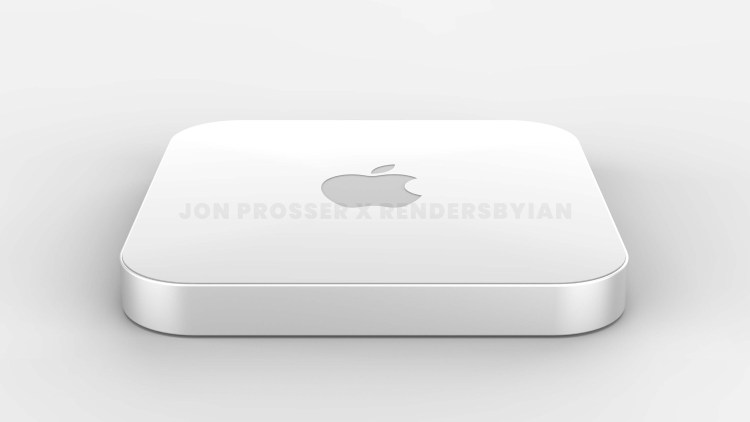
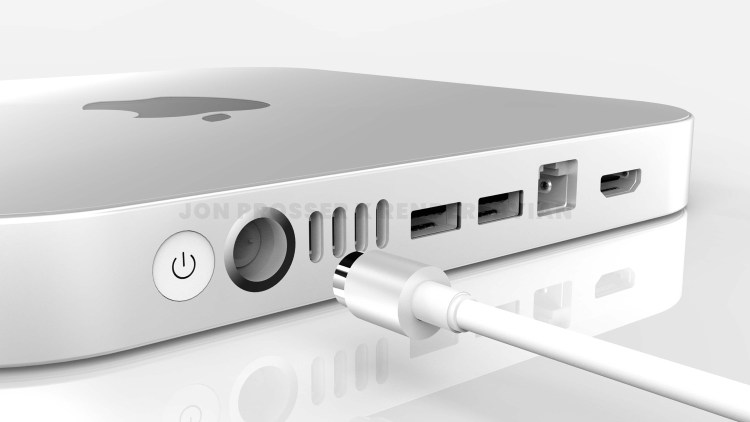
The Mac Mini was recently updated in November 2020 with Apple Silicon. But, according to YouTuber and famous leaker Jon Prosser, we could see a newly designed Mac Mini very soon!

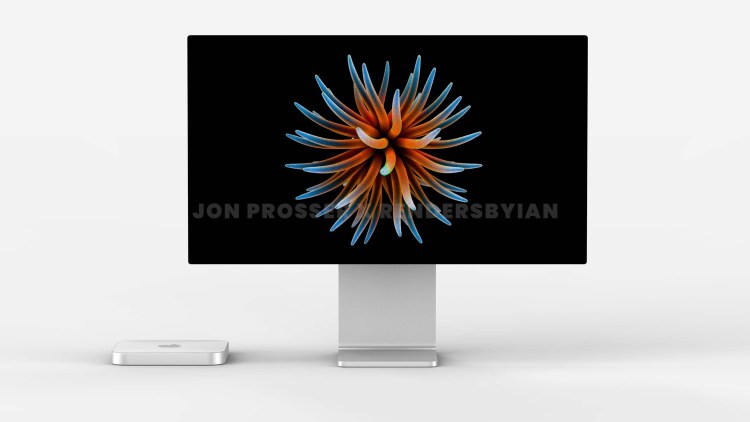
The Mac Mini was last redesigned in 2010. After 11 years, we will finally get a new design, but looking at people’s reaction, it seems that they aren’t too happy with it. The Mac Mini will have a Plexiglass Design and will be much thinner than the previous model.

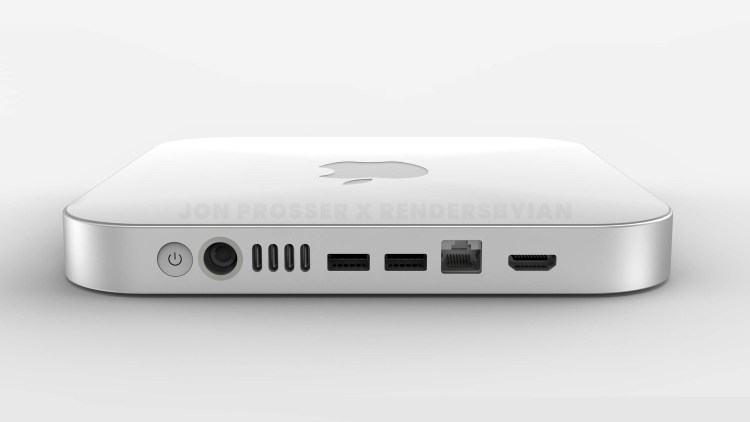
The Mac Mini is supposed to receive a port redesign too. But according to the leaked images, the thunderbolt ports are very close to each other which may lead to the user not being able to connect more than 2 cables at a time.

Similar to the iMac redesign, the Mac Mini will also support the magnetic power cable. According to Prosser; Apple is testing a two-tone look for the Mac Mini too. Whatever it may be, we are very excited for this redesign and would love to see how Apple treats their smallest computer!

Article by Nimrat Khalsa.

All renders are provided by @RendersByIan. Source: Front Page Tech.

Twitter Verification is back!

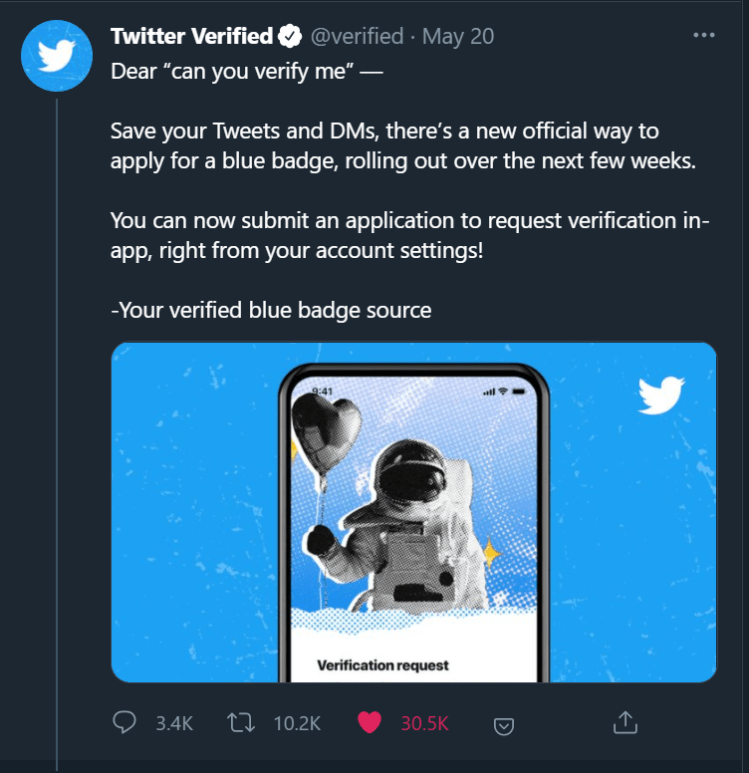
On May 20, @verified by Twitter said they have started verifying people again.

All you have to do is, Tweet “Never gonna give you up @Twitter” and done, You’re verified, Nah, I am just kidding.

Here’s how you can actually verify on Twitter!

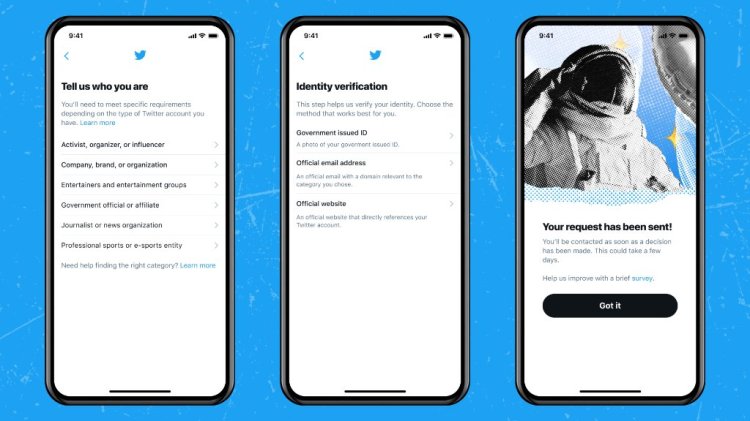
Click on settings, Then account, You’ll see an option called “Verification request”

But hold on, There are some things you should have before you get that badge.

  1. You have to select who you are. There a lot of options to select from.
  2. Then you have to send them a photo of your Government-issued id, Your official email address, and your official website.

And you’re done! but don’t get too excited, There are some more things you need to do.

Your account must be active with a record of adherence to the Twitter Rules. This means:

  • You must have a profile name, and a profile image;
  • You must have logged into the account in the last six months;
  • The account must have a confirmed email address or phone number
  • The account must not have had a 12-hour or 7-day lockout for violating the Twitter Rules in the past 12 months (excluding successful appeals).

There are rules for every category. Honestly, It feels like a captcha but for Twitter.

Also, There are some accounts that cannot be verified like: Parody, newsfeed, commentary, and unofficial fan accounts.

  • Pets and fictional characters, unless directly affiliated with a verified Company, Brand, or Organization, or with a verified entertainment production, as described above;
  • Accounts engaged in severe violations of our Platform manipulation and spam policy, such as the buying and selling of followers and engagement; and
  • Accounts of individuals or groups associated with coordinated harmful activity, or hateful content as defined in Twitter’s Ads Policies, or that have been found to have committed gross human rights violations by an international court/tribunal, or a fact-finding mission or commission of inquiry authorized by an international organization, may be ineligible for verification – even if their activity on Twitter doesn’t violate the Twitter Rules.

Here are some Articles by Twitter that help you understand this verification more!

1. https://help.twitter.com/en/managing-your-account/about-twitter-verified-accounts

2. https://help.twitter.com/en/rules-and-policies/platform-manipulation

All the best! I hope you get verified! And Remember, Not having the verified Tick Doesn’t make you less cool.

Tecno Phantom 9 review

Design

The design consists of a gradient glass with blue and purple color. At the back, it has a triple camera setup and a whole punch selfie camera on the screen. Design rating: 8/10

Specs

This device has 6GB of ram, Mediatek MT6765 Helio P35, 128GB of storage and 3500mAh of battery which isn’t the best in 2021.

Performance

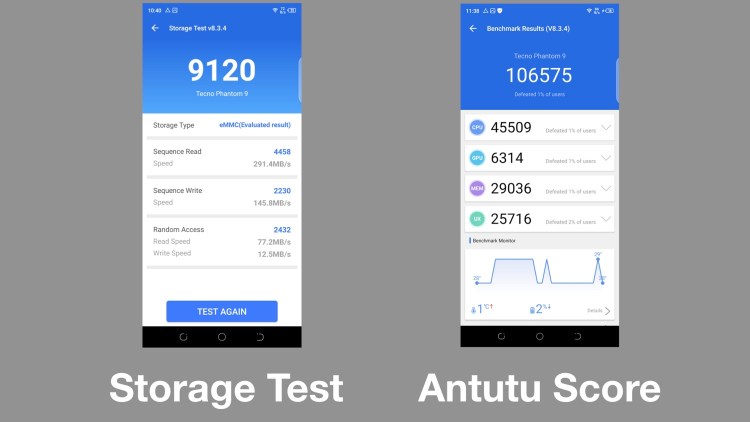
pain terms of performance it’s good for a light usage. Gaming is just terrible and very

laggy. Even though the transfer rate is awesome.

UI

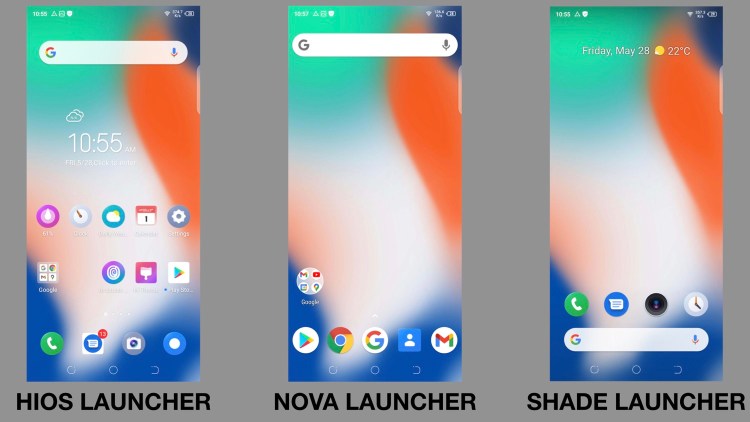
The HIOS UI is pretty bad from my usage. It looks a bit distracting and busy. Thus, I recommend using second party launchers like Shade, Nova launcher and so on. My overall UI rating: 4/10

Camera

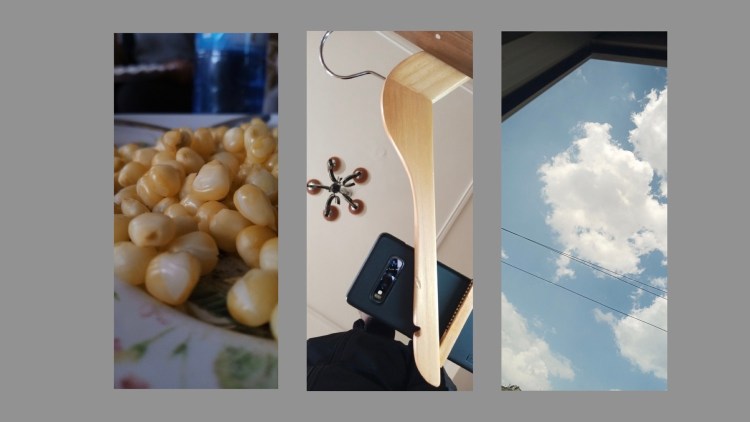
The primary camera is 16 megapixels and f/1.85 aperture. 32 megapixel camera and f/2.0 on the selfie camera. The back camera can zoom in 8x . One of the features is the 4x selfie pictures which is something not everybody is not gonna use because the picture from it is just too grainy. And some cool features like AR Shot. but overall average pictures from it. Camera rating: 6/10

Battery

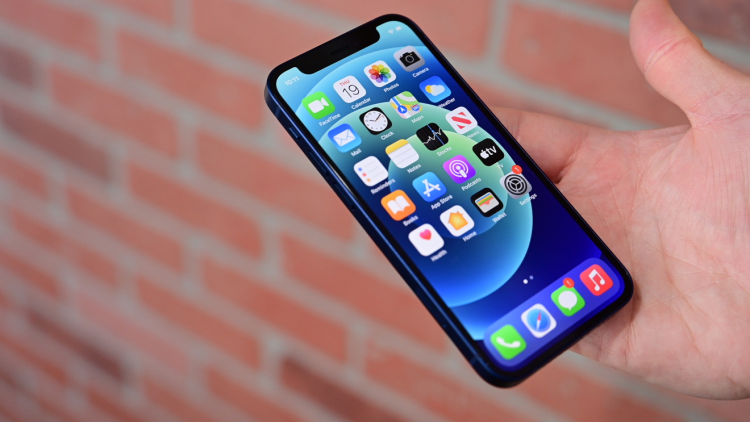
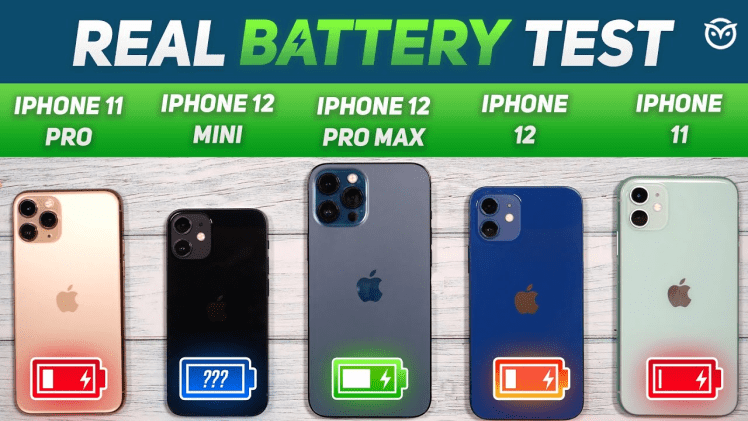
The battery is just bad for my usage. I usually get SOT of 3 hours like the iPhone 12 mini before it dies then I have to charge it again to finish the day. Battery rating: 3/10

Conclusion

The tecno phantom 9 is not worth it in 2021 since there are mid range phones that beat this phone like the Samsung A51.

Disclaimer: these ratings are mine.

Why the iPhone 12 Mini Failed

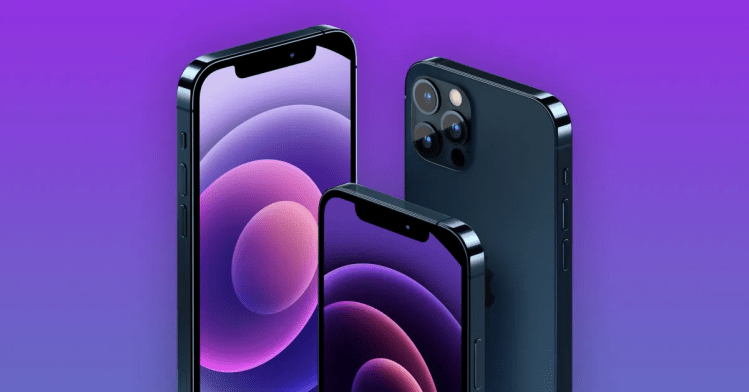
It’s no secret that Apple is the king of marketing when it comes to smartphones, laptops, and nearly any product in general. But their new iPhone 12 Series has had a Rotten Apple in the basket, the 12 Mini. Everybody was so excited to see the 12 Mini, try Apple’s first ‘Mini’ flagship smartphone, yet even though there was a lot of hype, it didn’t manage to sell much. Causing Apple to cut the production value of the little phone by 20% percent. If the iPhone 12 Mini was known as a good product, why didn’t it sell?

Size

With the ever-expanding smartphone market, the iPhone 12 Mini was a bit small too. In the last few years we’ve been used to phones around 6-7 inches, but the Mini is 5.4 inches, almost looking like a kids toy. It makes sense why it’s Mini, but it was a bit too Mini as everything that appears on a phone is proportionate to the screen size. Meaning that text, apps, and relatively anything is extremely small, making the overall experience slightly annoying for users accustomed to modern phones.

Battery

Even though the 12 Mini itself is a good phone, its main weakness is its Battery Life. The little iPhone consists of many heavy battery-consuming components, such as the A14, 5G, high-brightness, and etc. Although iOS and the hardware are very efficient in Battery Life managing, the 12 Mini really struggles with all it has to manage, and the extremely tiny 2,227mAh battery capacity can’t handle all of it for a long time. Using 5G even lowers its battery life massively. Lasting a whole hour and a half to 2 hours less than the original 12. The battery is a major concern considering charging isn’t any faster than the competition either. A regular power user probably won’t even get a day while using everything.

Other Options with Pricing

To know whether something’s good or not, we as humans usually tend to compare things with other items with similar purposes. So that’s what everyone did with the 12 Mini, compared it to the competition, its main alternatives were the 12, 11 Pro Max, and 11. As they all fulfilled a similar purpose to the 12 Mini. The base 12 Mini Model is at around 699$, which is a fair price, but with 4GB of RAM and a terrible 64 Gigs of Storage doesn’t seem so fair anymore. Medium.com gives a scenario where you could get proper storage options of 128GB SSD with 50$ more, a decent phone to use. But then, you could also get the 12 for 50$ more, you’ll get a better battery life, screen with 128GB of storage. Bringing us back to reality where the 12 is 100$ more, but actually has decent storage, better battery life, and screen. And if you can already pay 699 for a phone what’s 100 more for better options. So if you want a bit more you have a better option.

Even if you wanted a bit less you’d also have an option, the iPhone 11 currently sells for 100$ less than the Mini at 599, and it’s also pretty respected for being a good phone. So if you don’t care about all the features on the Mini, the 11 has a bigger body size and will help you save a couple of bucks too. If you want a bit more or a bit less there are perfect options. Many people fall in between both these categories and overall just go with the 12 or 11. In a way, Apple jeopardized its own product.

Conclusion

As shown, the iPhone 12 Mini became a Mini Flop for Apple, although it sold quickly at first, the exterior factors got the best of the product. It was good, but not good enough to live up to Apple’s Reputation. Rumor has it that Apple is also taking away some parts meant for the Mini to the bigger 12 and 12 Pro lineups. Will it ever succeed? Highly unlikely considering that its prime time is over, a classic didn’t live up to the hype situation, but will it be remembered? Definitely, it was Apple’s first shot at making a phone between the Flagship and Mid-Tier level. With expanding the amount of Smartphones produced, the likeliness of every phone succeeding lowers, like how many, but not every Samsung phone is a blast. And it was Apple’s first time experiencing that. It may have not done the best, but we all learn from our mistakes, and odds are Apple will too.

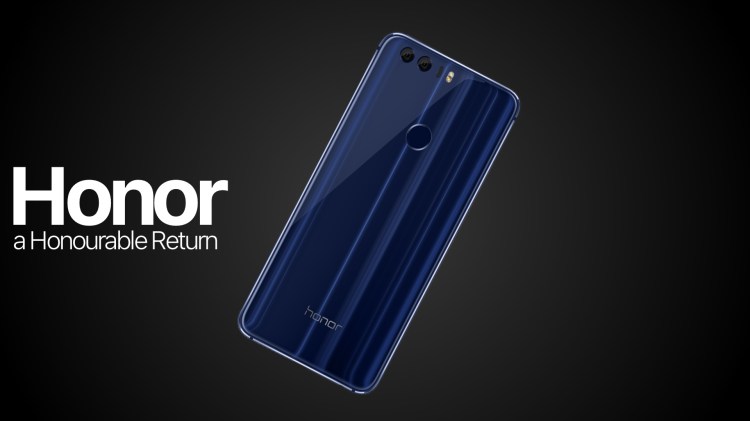
Google services are coming back to Huawei’s former sub-brand – A Honourable return.

Ever since Huawei was placed on the Entity list in 2019, Huawei and its sub-brand Honor were cut off from trading with US-based companies, and as a result lost the ability to have Google Services like the Play Store be used on their phones.

But, ever since Honor went independent in 2020, things were looking up for the company.

In a tweet made to promote their new Honor 50 series, and ahead of the official launch, the company has confirmed its upcoming phones will have Google pre-installed. The source of information is Honor Germany’s Twitter handle, which revealed this info while responding to a user tweet.

Ja, das können wir bestätigen. Aber pssst, soll noch eine Überraschung werden 😉

which roughly translates to

Yes, we can confirm that. But pssst, should be another surprise😉

Similar to prior Honor devices, the new phones will run MagicUI, Honor’s own skin for Android, with some exclusive features according to the company. The Honor 50 would be the first phone to launch with Google apps since Google revoked Huawei and Honor’s Android license last year. Gaining access to Google apps will mark a big step forward for Honor as it seeks to renter the global smartphone market scene and regain its lost territories.

Honor has already confirmed its upcoming Honor 50 series will be powered by Qualcomm’s newly launched Snapdragon 778G chipset. As per rumors, the new series will consist of three phones and feature an AMOLED 120Hz display, triple rear cameras, and dual selfie cameras.

We hope to see Honor claw back the market share they once held, as they had some truly innovative phones under their belt.

This article was written by Pranav AVN.

A Tech Content Creator on YouTube.

iPad Pro 12.9″ blooming. The truth.

Is blooming really as bad as it is made out? Or is it being blown out of proportion?

When the new 12.9″ iPad Pro 2021 was announced, Apple touted the capabilities of the new mini LED technology. However, as people received their iPad Pros, they posted pictures of severe issues of blooming.

So is there any truth to these claims? Well now, thanks to a new video by YouTuber, Max Tech, we have proof of what’s going on.

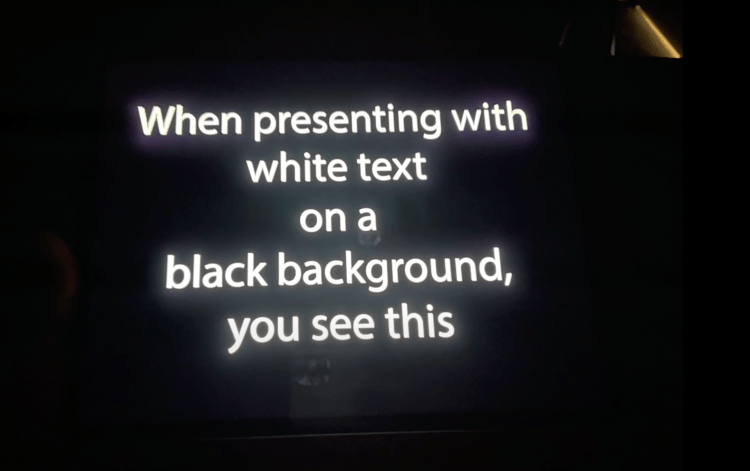
The first image here is a screen shot from the video, and shows what a smart phone camera shows when pointed to the iPad Pro’s screen.

This second image is what a professional camera or the human eye shows when pointed at the new iPad Pro’s screen.

Our verdict:

The blooming issues are being vastly blown out of proportion because of the following reasons:

  • Slight blooming will occur only in very dark room with the brightness turned all the way up.
  • Pictures being shown on social platforms are shot on smartphones and do not give an accurate representation of real life. This is because smartphones will take images shot at night and over-brighten them since the image sensors are much smaller compared to professional cameras.
  • There are some very strict conditions under which blooming will be seen, which are: Pitch black environment. Pitch black screen with white text or characters on top. Max brightness.
  • These conditions are almost impossible to recreate in real life for actual usage since no one uses any screen at full brightness in a dark room other than people who want to damage their eyes. We believe Apple kept all this in mind when putting mini LED tech in the iPad.

People showing pictures of blooming are taking pictures with their smartphones which is not an accurate representation and we have included comparison images to show what the eye would actually see.

We will continue to monitor the situation and inform you along the way.

Credit to Max Tech for the video.

Follow KineTech on Twitter for updates.

How to have a RAINBOW Progress Bar on YouTube! (Secret Easter Egg!)

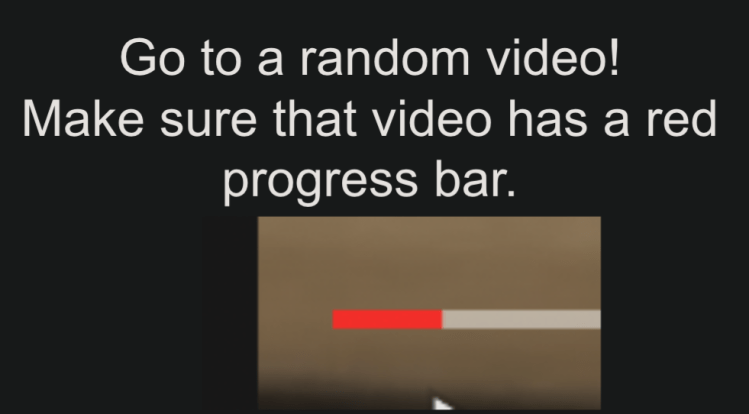
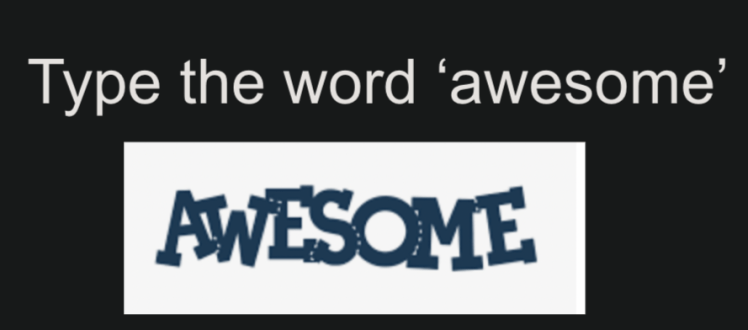
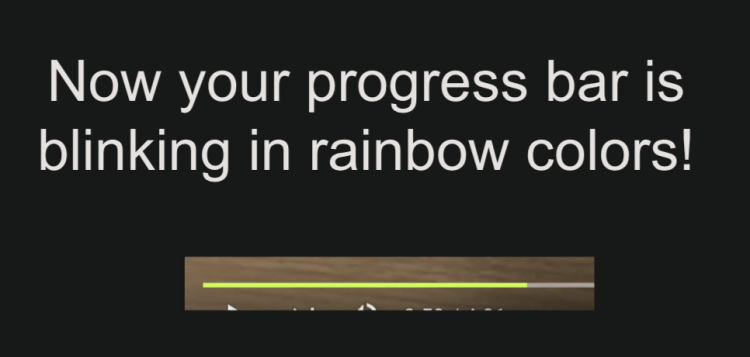
Hey! A lot of us watch videos on youtube.com (YouTube), but did you know that there is a secret easter egg that is super cool! It is also really simple.

(if you want to check out how to do this in video form, here it is (but keep reading!): here)

Is it that simple! You should definitely try it! 😀

Thanks for reading!

DISCLAIMER: All images used were from the FourCornerTech YouTube Channel or they were credited properly!

About the Author:

FourCornerTech is a tech enthusiast who writes and makes videos about tech. Check out all of his socials here!

YouTube

Twitter

Instagram

M1 in The iPad Pro: A Reality Check.

The M1-based iPad Pro has been out for a little over a month now, and one of the many assumptions online has been that ‘Pro’ macOS apps are coming over to the iPad Pro very soon since the iPad Pro now has a Mac chip, but does it?

This article will probably change the way you think about the new iPad Pro and the M1 Chip inside it. Make sure to read it till the end, I promise it is worth your time.

Let’s take it from the top.
The iPad Pro.

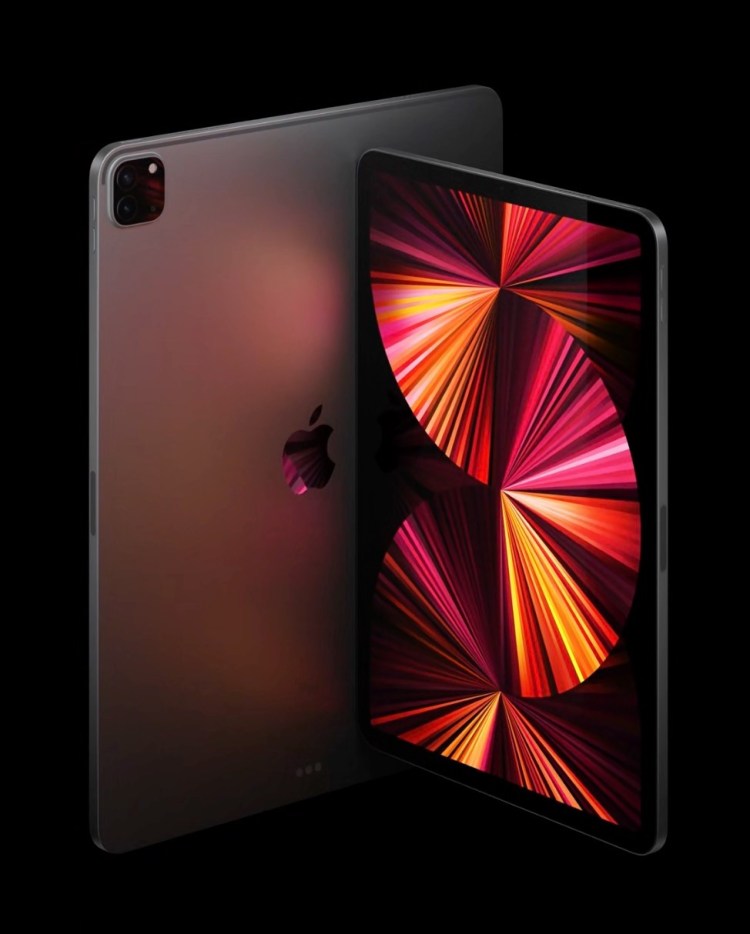
The iPad Pro has always been the best iPad, rather the best tablet out there. It always has the fastest chip, usually an extension of the other baseline A-Series chips. Few of the latest iPad Pro processors were the A9X, A10X, A12X, and the A12Z. Now ideally, the successor to the A12Z should have been the A14X, but we got the M1.
The M1 Chip.

Back in November, Apple unveiled their first lineup of Apple Silicon Macs which were using the M1 Chip. Now before the M1 Chip came out, people were speculating that these Macs will have the A14X chip, and they weren’t wrong. The M1 Chip is a rebranded version of what would have been the A14X. The name for the M1 comes purely because it is better for marketing and so that it doesn’t sound that it is an iPad chip in a mac, because the iPad is often considered inferior to the Mac.

“The iPad Pro has a Mac Chip in it”

No. You’re missing the bigger picture, The iPad Pro doesn’t have a Mac chip in it, the Mac is the one which has an iPad Pro chip in it.

Many people are assuming that since the iPad now has a Mac Chip, it’ll get macOS apps, but that’s not completely true, the iPad still has the iPad chip. But, the Macs who received the iPad chips, now support iPad apps.
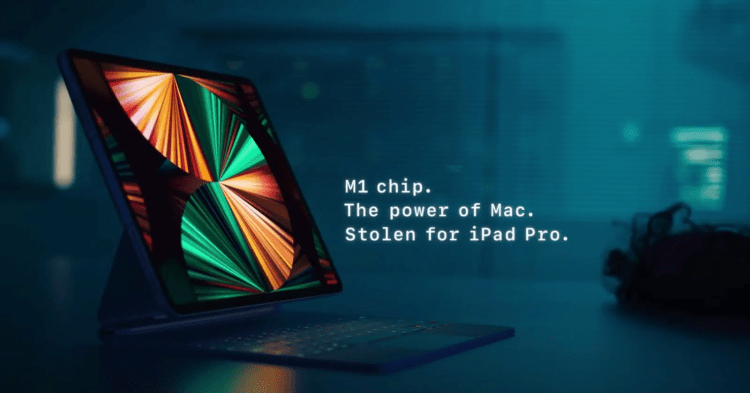
Why is the chip in the iPad Pro called the M1?
While it simply could have been called the A14X, it isn’t primarily for one reason. Since the launch of the M1 chip, six months ago, it has gained a lot of traction, along with a lot of positive feedback, it has been well established and most people know it for how powerful and how power efficient it is at the same time. Although the A14X naming would have done nothing to the performance it offers, it would never have grabbed as many headlines and nor would this article ever be written, it would have also needed to establish itsself from the ground up, which meant that it would have to wait for atleast a month to be properly judged by reviewers, but because of the M1 naming, people already know how powerful this iPad is and which is also why they don’t need to wait for reviews to get an idea of how it would perform. And as the M1 has made it’s mark as a Mac-first chip, although it actually isn’t one, the iPad Pro appears to be more of a computer now giving more credit to the ‘What’s a computer ad’

What’s wrong?

Many people have been inclined to believe that ‘Apple has something planned for WWDC’
just because the iPad got the M1, but like I said, it would have had the M1 chip regardless, just with a different branding. From what I can tell, there’s nothing specifically like that, there might be massive iPadOS improvements, but they’re definitely not just because of the M1 Chip coming to the iPad and these improvements will probably carry over to all other newer iPads as well. (Other than the ones enabled by Thunderbolt 4)
Does this mean Mac apps will never come to the iPad?

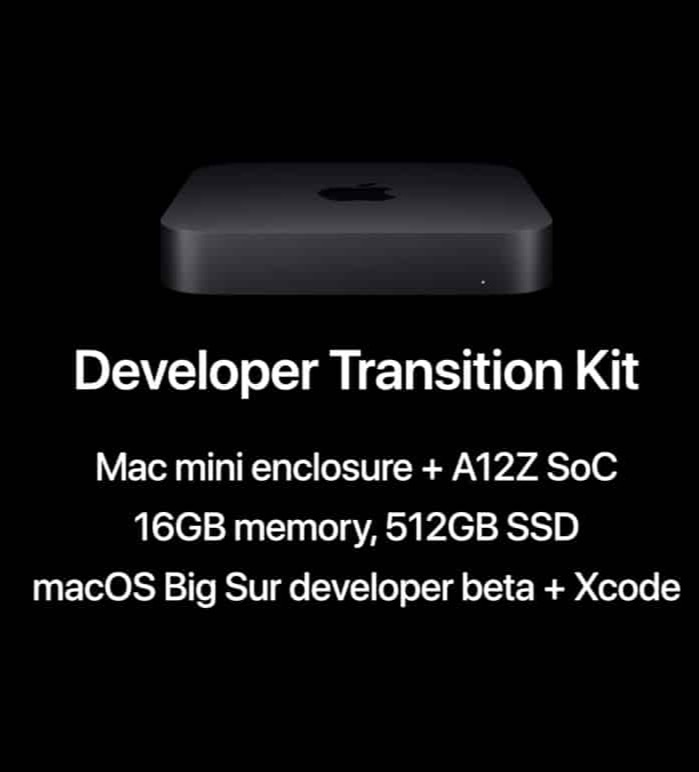
Yesn’t. Although the M1 is just a rebranded iPad chip, it doesn’t mean it can’t run macOS Apps. As we don’t have much of a clear answer, we can’t do much other than just speculate. While the M1 chip is capable to run Mac apps, so is the A14 and A12Z (As seen earlier in the Apple Silicon Development Kit). We can only wait till WWDC to know what Apple has in plan for us for iPadOS 15. From what I can tell, if the feature to run Mac apps ever comes to the iPad, albeit a toned down version, it will come to other iPads as well, and not only the M1 iPad Pros.

Pro Apps. Will they ever make it to the iPad?

To be honest, we have no idea. There have only been concepts about it, and Apple has also been pushing apps such as LumaFusion recently, which is against the odds of Apple
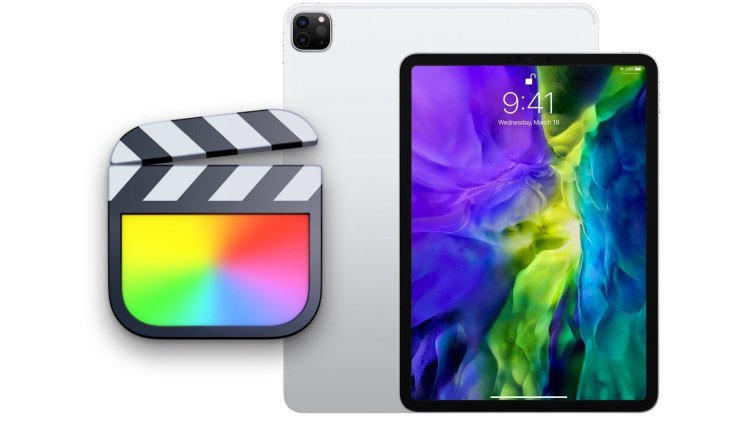
releasing FCP for the iPad. Apple might have tested it, but as much as I’d love to have it for the iPad, I’m afraid it will never see the light of day as it might cannibalise the sales of the Mac, and to be honest, I wouldn’t consider buying an Apple Silicon Mac if we get Pro Apps on the iPad.

But I was wondering if they could take iMovie and GarageBand, and make them even better. What if instead of giving full-fledge Pro apps, they add featured from these Pro Apps to their current iPad apps. Although this is nothing but speculation, it does make sense to an extent.

Thanks for reading, I hope you now have a better idea of what the M1 chip in the iPad Pro actually is.

Written by iTech Everything.

Tech Content Creator on YouTube.
Design a site like this with WordPress.com
Get started